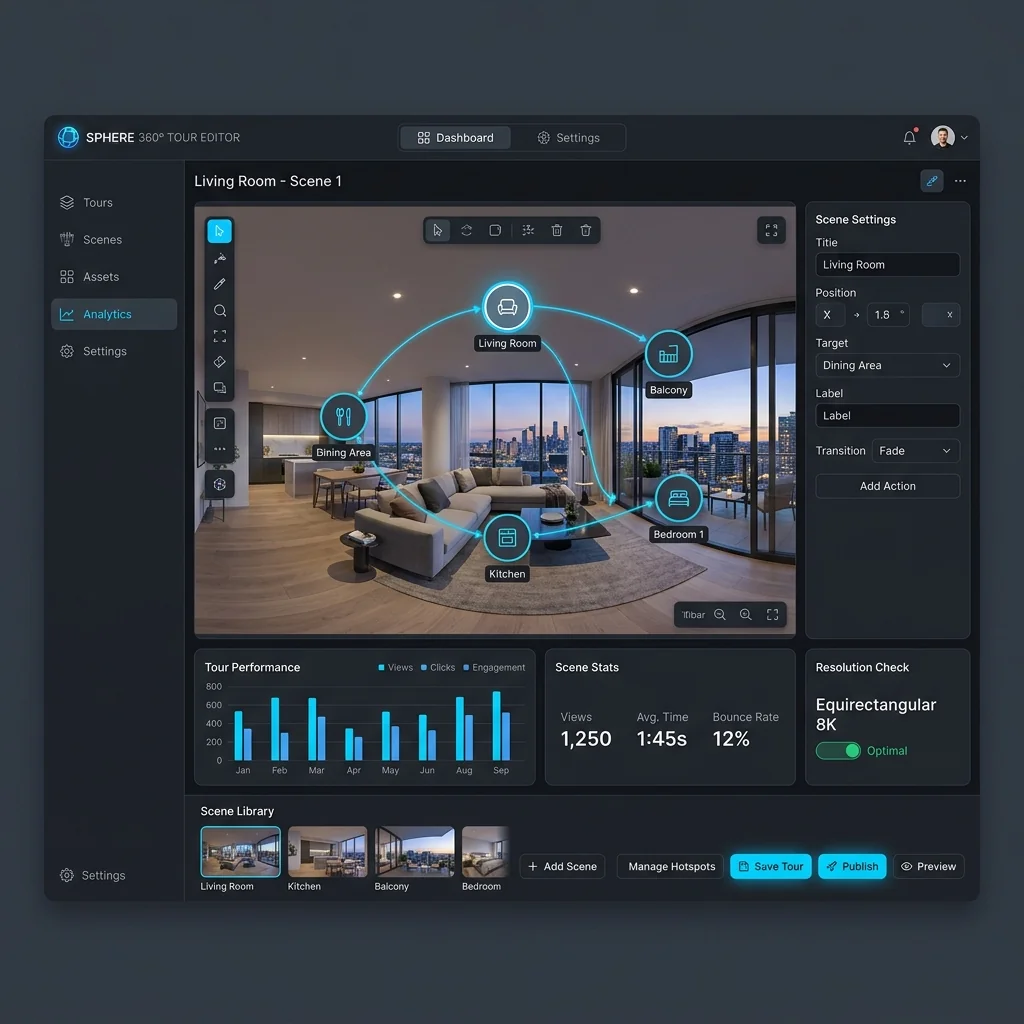
Quick Answer: Is PanoPublish a Good Panoee Alternative?
The short answer is: yes, but only for the right operational workflow.
Panoee is a feature-rich, browser-based virtual tour studio built for creators who want extensive interactive design freedom. If your primary deliverable is an experiential website tour featuring custom polygon hotspots, interactive e-commerce product links, audio voiceovers, multi-language switching, or downloadable self-hosted tour archives, Panoee is an established, capable platform designed precisely for that creative scope.
PanoPublish, by contrast, is built around a focused, commercial objective: helping 360° photographers and digital agencies publish verified virtual tours to Google Street View and deliver clean, fast client walkthroughs with predictable Indian Rupee (INR) billing.
Instead of trying to replicate every complex canvas hotspot or graphic design feature in Panoee, PanoPublish prioritizes: 1. Direct Google Street View API publishing with automated EXIF GPS ingestion and compass alignment. 2. Fast browser-based nadir tripod patching and custom circular logo overlay without requiring Photoshop. 3. Multi-floor organizational tools built for hotels, educational institutes, and commercial real estate. 4. Seamless domestic INR billing via Razorpay supporting UPI AutoPay, RuPay, and automated GST tax invoices with Input Tax Credit (ITC) eligibility.
The Decision in Brief: > If your client wants an experiential museum tour, interactive e-commerce hot-spots, or self-hosted files, Panoee is the stronger choice. > If your business focuses on Google Street View listings, local SEO client retainers, fast on-site turnaround, and Indian domestic payments, PanoPublish is the more efficient and economical fit.
- Panoee excels at interactive, multimedia-heavy web tours, 32K multi-res streaming, and custom canvas hotspots.
- PanoPublish excels at Google Maps & Street View publishing, nadir branding, and streamlined commercial workflows.
- Panoee charges in US Dollars (USD) via international cards, which can trigger forex fees and RBI e-mandate card renewal issues for Indian users.
- PanoPublish charges flat Indian Rupee (INR) rates starting at ₹499/month with instant UPI AutoPay and GST invoices.
Panoee vs PanoPublish at a Glance
Here is a high-level comparison between Panoee and PanoPublish across core operational categories. Every feature listed here is verified against official vendor documentation.
| Feature Category | Panoee (Verified Current Scope) | PanoPublish (Current Production Scope) |
|---|---|---|
| Free Plan | Yes (Free tier with 3 GB storage, unlimited standard projects) | 7-day fully functional trial (No credit card required) |
| Paid Starting Price | ~$7–$12/mo (PAYG Companion Lite) / ~$22/mo (Pro) | ₹499/mo (Basic) / ₹1,499/mo (Pro) / ₹2,999/mo (Agency) |
| Billing Currency | US Dollar (USD) | Indian Rupee (INR) |
| Payment Methods | International Credit/Debit Cards (Stripe) | UPI, UPI AutoPay, NetBanking, RuPay, Cards (Razorpay) |
| GST Invoicing (India) | Not standard for domestic Indian ITC filing | Automated GST tax invoices on every billing cycle |
| Google Street View Publishing | Available (Included on Pro / add-on via Companion Lite) | Core native feature across Basic, Pro, and Agency tiers |
| Google Street View Limits | Plan-dependent / usage-dependent | 5 tours/mo (Basic), 20 tours/mo (Pro), 50 tours/mo (Agency) |
| 360 Tour Creation | Full canvas studio with 7+ hotspot types | Clean spherical walkthrough builder & 1-click converter |
| Interactive Hotspots | Rich (Media, polygon, URL, product, audio, HTML) | Standard navigation arrows, informational nodes & custom nadir |
| Interactive Content | Deep (Background music, sound effects, voiceovers) | Clean photographic walkthrough focused on speed and clarity |
| Floor Plans & Maps | Advanced (2D floor plans, radar field-of-view indicators) | Plan-dependent / Level & Island multi-floor hierarchy |
| Custom Domains | Available on paid tiers (Pro / Enterprise+) | Available on Agency tier with custom client presentation |
| White-Label Branding | Available on paid tiers | Available on Pro (custom nadir) & Agency (white-label client links) |
| Nadir Patch / Tripod Tools | Available in tour customization settings | Integrated browser-based nadir blur & custom PNG logo disk |
| Visitor Analytics | Detailed built-in tour analytics & Google Analytics integration | Google Street View official analytics via Google Maps profile |
| Client / Project Management | Centralized CMS folder hierarchy | Multi-client workspace with dedicated reviewer links |
| Team Workflows | Available on Enterprise+ tiers (1–5 seats) | 1 user (Basic), 3 team seats (Pro), 10 team seats (Agency) |
| Hosting & CDN | Global cloud hosting with multi-resolution streaming | High-speed global CDN optimized for mobile & desktop |
| Self-Hosting / Tour Export | Available (Downloadable offline web packages on paid plans) | Cloud hosted; embed code & direct Google Maps publishing |
| Customer Support | Ticket-based / Community forum (CET European timezone) | WhatsApp & email support during Indian Standard Time (IST) |
- Data verified from official documentation at panoee.com and panopublish.com.
- Pricing comparisons reflect vendor websites as of 2026.
- Check each vendor's pricing page directly for active promotional or enterprise terms.
What Is Panoee?
Panoee is a cloud-based virtual tour software platform developed to give creators, marketers, and photographers a comprehensive web studio for interactive 360° storytelling.
Panoee has earned a strong reputation among global creators because of its broad creative toolset and its generous entry tier. Its core capabilities include:
- Generous Free Tier: Panoee offers a free tier that allows users to create unlimited virtual tour projects with up to 3 GB of cloud storage, without adding mandatory watermarks to panorama visuals.
- Ultra-High Resolution Support: Panoee supports multi-resolution image tiling up to 32K resolution, allowing high-end gigapixel and stitched DSLR panoramas to stream smoothly across desktop and mobile devices.
- Rich Hotspot Library: Panoee features more than 7 distinct hotspot types, including standard scene-to-scene transition markers, polygon boundary overlays, embedded YouTube/Vimeo videos, audio tracks, downloadable PDF documents, and e-commerce product cards with buy buttons.
- Floor Plans & Radar Navigation: Creators can upload architectural 2D floor plans and link them to 360 nodes, complete with live orientation radar beams that track the visitor's field of view in real time.
- Lead Generation & Business Tools: Panoee includes built-in contact forms, live chat widgets, multilingual translation modules, password-protected private tours, and custom domain linking on paid tiers.
- Google Street View Publishing: Panoee provides integration with the Google Street View Publish API, enabling photographers to connect panos and send them to Google Maps.
- Export & Self-Hosting: Creators on eligible paid tiers can export self-contained tour packages (HTML5/JavaScript bundles) to host on their own private servers or Amazon S3 buckets.
Panoee operates on an open-hardware model, accepting equirectangular panoramas captured by any 360 camera—from portable dual-lens devices like the Ricoh Theta Z1 and Insta360 X4 to professional DSLR/mirrorless panoramic bracket setups stitched in PTGui.
- Hardware-agnostic platform supporting Ricoh Theta, Insta360, GoPro, and DSLR rigs.
- Built-in multimedia toolkit featuring polygon hotspots, audio narration, and lead capture forms.
- Multi-resolution streaming engine accommodating high-resolution panoramas up to 32K.
- Offers both cloud-hosted sharing and downloadable offline web packages on eligible plans.
What Is PanoPublish?
PanoPublish is a 360° virtual tour and Google Street View publishing platform built specifically for photographers, commercial media agencies, and local businesses.
Unlike general-purpose multimedia tour software that attempts to serve every artistic use case, PanoPublish focuses strictly on the operational and commercial realities of professional 360 photography and Google Maps marketing:
- Publish 360° Virtual Tours to Google Maps. In Minutes: PanoPublish provides a direct, authenticated OAuth connection to the official Google Street View Publish API. You can upload a sequence of 360 panoramas, automatically extract EXIF GPS coordinates and compass headings, connect navigation nodes on an interactive map, and publish directly to any verified Google Business Profile.
- Automated EXIF GPS & Compass Parsing: When you drag and drop equirectangular photos from cameras like the Ricoh Theta Z1, Insta360 X4/X5, or stitched DSLR files with embedded GPS, PanoPublish automatically plots each node, parses its `PoseHeadingDegrees`, and aligns adjacent scenes.
- Integrated Browser Nadir Branding: Rather than forcing photographers to open Photoshop to clone out tripod legs or apply logo disks, PanoPublish provides browser-based nadir blur tools and custom circular logo disk overlays (512×512 PNG) right inside the publishing flow.
- Multi-Client & Multi-Floor Project Hierarchy: Organize commercial projects by client, property, and building floor. The Level & Island organizer keeps multi-story hotels, schools, and corporate campuses neatly structured.
- Indian Rupee (INR) Pricing with Razorpay & UPI AutoPay: PanoPublish eliminates overseas foreign exchange markups, international card declination headaches, and currency volatility by billing in Indian Rupees with full support for UPI AutoPay, domestic debit/credit cards, NetBanking, and automated GST tax invoices.
- Dedicated IST Support: Customer service operates on Indian Standard Time with responsive WhatsApp and email assistance, ensuring urgent client delivery questions get resolved during regular business hours.
- Official Google Street View Publish API integration with visual blue-line connection editor.
- Automatic extraction of EXIF GPS coordinates, altitude, and compass orientation.
- Integrated browser nadir tripod blur and custom 512×512 PNG logo disk replacement.
- Flat monthly INR subscriptions starting at ₹499/mo with UPI AutoPay and GST invoices.
Panoee Strengths: Where Panoee Is the Stronger Choice
To make an informed software decision, it is essential to understand where Panoee holds a clear competitive advantage. Panoee is an impressive product with capabilities that specialized Google Maps tools do not attempt to replicate:
1. Broad Multimedia & Interactive Hotspot Toolkit
Panoee is designed for interactive web storytelling. If your client wants clickable hotspots that trigger embedded videos, popup image galleries, audio voiceover narrations, downloadable PDF brochures, or custom HTML code, Panoee provides these tools natively in its visual canvas editor. PanoPublish focuses on clean photo navigation and does not offer embedded video or HTML hotspots.
2. E-Commerce & Lead Generation Integration
Panoee includes features specifically built for retail marketing, such as interactive product hotspots with direct "Add to Cart" or checkout URLs, contact capture forms, and integrated live chat widgets. If you are building a virtual showroom where visitors purchase items directly from inside the 360 panorama, Panoee is significantly better equipped for that requirement.
3. Multi-Language Tour Support
For international tourism boards, luxury resorts, and cultural heritage sites, Panoee lets you build multilingual virtual tours where visitors can toggle between English, French, Spanish, Hindi, or other languages. The tour interface, hotspot labels, and text descriptions update automatically based on the user's language selection.
4. 2D Floor Plan Overlays with Live Radar
Panoee features an advanced floor plan engine. You can upload an architectural blueprint, place interactive panorama pins on the drawing, and enable a dynamic radar beam that shows the exact direction the visitor is looking inside the room. While PanoPublish organizes panoramas by floor level, it does not offer live rotational radar overlays on custom blueprints.
5. Self-Hosting & Tour Export
If your enterprise client has strict data compliance requirements or security policies that prevent hosting media on third-party SaaS servers, Panoee allows paid users to export their finished tour as a standalone HTML5/JS package. This package can be hosted on the client's internal intranet, private AWS S3 bucket, or custom web server. PanoPublish hosts tours on its managed global CDN and publishes directly to Google Maps, but does not provide downloadable offline web bundles.
6. Generous Free Starter Tier
Panoee offers a free plan with 3 GB of cloud storage and unlimited projects without watermarks. For hobbyists, students, or photographers just starting to experiment with 360 photography, this free tier offers a zero-risk environment to learn virtual tour design.
- Extensive hotspot variety: polygon areas, embedded video, audio narration, and custom HTML.
- E-commerce product cards with direct purchase links and lead capture contact forms.
- Built-in multi-language toggle for global tourism and international brand walkthroughs.
- Dynamic 2D architectural floor plan radar tracking viewer field of view in real time.
- Downloadable self-hosted offline tour packages for private enterprise server deployment.
- Permanent free plan with 3 GB storage for personal testing and portfolio experimentation.
PanoPublish Strengths: Where PanoPublish Is a Better Fit
PanoPublish was built from the ground up to solve the specific bottlenecks faced by commercial 360 photographers, local SEO agencies, and Google Street View Trusted contributors:
1. Dedicated Google Street View Publishing Workflow
While Panoee offers Street View publishing, it is treated as one feature among many in a large interactive builder. In PanoPublish, Google Maps publishing is the core operational engine: - Connect your Google account via secure Google OAuth in two clicks. - Drag-and-drop 360 panoramas; PanoPublish parses EXIF GPS latitude, longitude, and compass yaw automatically. - Link adjacent nodes using visual directional arrows on an interactive satellite map. - Set target Google Business Profile Place IDs and publish sequences directly to Google Maps with zero third-party bridge tools.
2. Browser-Based Nadir Tripod Branding
Tripod legs and light stands are an unavoidable reality of 360 photography. In traditional workflows, photographers spend 5 to 10 minutes per panorama in Photoshop applying clone stamps or manual logo patches. PanoPublish handles nadir patching entirely inside your browser: - Apply an automated gaussian tripod blur patch with adjustable radius. - Upload a custom circular agency or client logo disk (512×512 PNG) that composites cleanly over the nadir zone before publishing. - Apply nadir branding in bulk across entire client shoots in seconds.
3. Transparent Indian Rupee (INR) Pricing
Many Indian photographers and creative agencies struggle with international SaaS tools that bill exclusively in US Dollars. PanoPublish offers flat, transparent INR subscription plans: - Basic at ₹499/month, Pro at ₹1,499/month, and Agency at ₹2,999/month. - No unexpected currency swings based on USD/INR exchange rate fluctuations. - Predictable software overhead that makes client retainer pricing easy to calculate.
4. Friction-Free Domestic Payments with UPI AutoPay
International recurring card transactions frequently fail in India due to Reserve Bank of India (RBI) e-mandate regulations. PanoPublish integrates natively with Razorpay to support: - Instant UPI AutoPay via Google Pay, PhonePe, Paytm, and BHIM. - Domestic RuPay, Visa, and Mastercard debit and credit cards with seamless OTP authentication. - NetBanking across all major Indian banks. - Zero foreign exchange markup fees (saving 2% to 3.5% on every billing cycle).
5. Automated GST Tax Invoices for Business Accounting
Every PanoPublish subscription renewal automatically generates a GST-compliant tax invoice containing your company name and GSTIN. Registered businesses and agencies can claim full Input Tax Credit (ITC), directly lowering their effective operating cost.
6. Local Support Operating on Indian Standard Time (IST)
When an agency is preparing a multi-floor hotel tour before a client sign-off deadline, waiting 12 to 18 hours for European ticket support is stressful. PanoPublish provides direct WhatsApp and email support during standard Indian business hours, resolving publishing queries rapidly.
- Native Google Street View OAuth workflow with automated EXIF GPS & compass heading alignment.
- One-click browser nadir blur and custom circular logo disk branding (no Photoshop required).
- Flat monthly INR subscription plans starting at ₹499/mo with zero hidden forex surcharges.
- Seamless domestic payments via UPI AutoPay, NetBanking, and RuPay with automated GST tax invoices.
- Organized multi-floor Level and Island architecture tailored for hotels, schools, and commercial properties.
- Fast customer support via WhatsApp and email operating in Indian Standard Time (IST).
Panoee Pricing vs PanoPublish Pricing
Pricing structure is one of the most critical factors when choosing a virtual tour platform. Both vendors use distinct pricing philosophies that reflect their target audiences.
Panoee Pricing Overview
Panoee uses a hybrid freemium and usage-tier pricing model billed in US Dollars (USD): - Free Plan ($0/month): Includes 3 GB of cloud storage, unlimited virtual tour projects, 32K resolution support, and basic hotspots. Google Street View publishing and custom branding are limited or require paid upgrades. - Companion Lite (Pay-As-You-Go): Designed for users who want premium features on select tours without committing to a full monthly subscription. Pricing starts at approximately $7/month for 1 premium tour, $10/month for 2 tours, and $12/month for 3 tours. - PRO Plan (~$22/month or ~$200/year): Unlocks unlimited projects, premium hotspots, custom domains, floor plans, Google Street View publishing, and white-label branding options. - Enterprise+ Plan (Custom Pricing): Designed for agencies requiring multi-user access (1–5 seats), expandable storage (20 GB+), dedicated support, and white-label domain governance.
- Note: Panoee subscription fees are billed in USD. Indian subscribers paying via credit or debit cards are subject to bank foreign currency conversion fees (typically 2%–3.5%) plus applicable taxes.*
PanoPublish Pricing Overview
PanoPublish uses flat, predictable monthly subscription tiers billed directly in Indian Rupees (INR): - Basic Plan (₹499/month): - 1 active user account - Up to 5 active Google virtual tours per month - Up to 30 photos per tour - Direct Google Maps / Street View publishing - Standard nadir blur tool - Standard email support - Pro Plan (₹1,499/month): - 3 team member logins - Up to 20 active Google & Custom virtual tours per month - Up to 200 photos per tour - Standalone Custom Tours with 1-Click Converter - Custom nadir logo disks and tripod blur editor - Priority WhatsApp and email support - Agency Plan (₹2,999/month): - 10 team member logins - Up to 50 active Google & Custom virtual tours per month - Unlimited scenes and photos per tour - All Pro features included - White-label client presentation mode - Dedicated relationship manager
Pricing Comparison by Use Case
| Creator Use Case | Panoee Estimated Cost | PanoPublish Estimated Cost | Most Economical Platform |
|---|---|---|---|
| Occasional Hobbyist (1–2 personal tours) | $0/mo (Free Tier) | ₹499/mo (Basic) | Panoee (Generous free tier) |
| Independent Street View Shooter (4–5 tours/mo) | ~$22/mo (~₹1,850+ forex) | ₹499/mo (Flat INR) | PanoPublish (Save ~70% on monthly overhead) |
| Active Commercial Studio (15–20 tours/mo) | ~$22/mo (~₹1,850+ forex) | ₹1,499/mo (Pro tier) | Comparable / Workflow-dependent |
| Full-Scale Digital Agency (40–50 tours/mo, 10 team seats) | Enterprise+ (Custom USD tier) | ₹2,999/mo (Agency tier) | PanoPublish (10 seats + GST tax invoice) |
Pricing Takeaway: > If you only shoot 1 or 2 tours a year for fun, Panoee's free tier is unbeatable. But if you operate a commercial photography or local SEO business publishing multiple client locations to Google Maps every month, PanoPublish's flat INR plans provide predictable costs, domestic payment simplicity, and immediate GST tax deductions.
- Panoee offers a free tier with 3 GB storage, making it ideal for zero-budget personal experimentation.
- PanoPublish offers flat INR pricing starting at ₹499/month with zero foreign exchange markups.
- PanoPublish Pro (₹1,499/mo) includes 3 team seats; Agency (₹2,999/mo) includes 10 team seats.
- Indian businesses can claim 18% GST Input Tax Credit on all PanoPublish subscription invoices.
Google Street View Publishing: A Deep Workflow Comparison
Publishing 360° virtual tours to Google Street View and Google Maps is one of the most effective commercial services a photographer can offer to local businesses. However, the workflow and technical implementation differ significantly between the two platforms.
The Fundamental Distinction: Hosted Tours vs Google Street View
Before comparing tools, creators must understand that Google Street View publishing and hosted interactive web tours are entirely different technical environments: 1. Google Street View: Panoramas are hosted directly on Google's global infrastructure and rendered inside Google Maps and Google Business Profile listings. Google Street View does not support custom HTML popups, e-commerce buy buttons, lead forms, or external branding overlays. It accepts spherical equirectangular imagery, GPS coordinates, compass headings, and node connections. 2. Hosted Web Tours: Panoramas are hosted on a private CDN or web server and embedded on the client's private website. They support arbitrary custom branding, interactive hotspots, background audio, and lead capture.
Google Street View Workflow on Panoee
In Panoee, Google Street View publishing is an integrated module inside its broader tour builder: - Authorization: Connect your Google account via OAuth in the account settings. - Workflow: Panoramas are uploaded to a Panoee project first, after which you select scenes to publish to Street View. - Connections: You can draw connections between scenes and set headings. - Plan Requirements: Street View publishing is generally reserved for Pro or Enterprise tiers, or accessible via paid Companion Lite add-ons. - Strengths: Useful if you are already building a complex web tour in Panoee and want to push the same imagery to Google Maps without using an external tool.
Google Street View Workflow on PanoPublish
In PanoPublish, Google Street View publishing is the core primary architecture: - Direct OAuth Sync: Authenticate your Google profile once. PanoPublish maintains a persistent, secure API token. - Automatic EXIF Parsing: The moment you upload your equirectangular JPEGs, PanoPublish extracts latitude, longitude, altitude, and `PoseHeadingDegrees` from camera EXIF tags. - Blue-Line Map Editor: Nodes are plotted automatically on an interactive satellite view. You can fine-tune positions, adjust heading rotations visually against building landmarks, and connect adjacent nodes with one click. - Target Place Association: Search and attach the exact Google Business Profile Place ID, ensuring the published virtual walk appears directly under the client's verified Google Maps card. - No Per-Upload Fees: Upload and publish up to your plan limit (5 tours on Basic, 20 on Pro, 50 on Agency) without per-panorama or per-publish surcharges.
Street View Verdict: > If Google Street View is an occasional side-deliverable for tours you primarily built for website embedding, Panoee's integrated export is adequate. > If Google Street View publishing is a core revenue stream for your photography or agency business, PanoPublish offers a faster, more automated, and more dedicated map-alignment workflow.
- Google Street View does not support custom HTML, lead capture, or e-commerce hotspots regardless of software.
- PanoPublish auto-extracts EXIF GPS coordinates and camera compass orientation on initial upload.
- PanoPublish features an interactive blue-line editor designed specifically for Street View constellation paths.
- Both platforms utilize official Google Street View Publish APIs for authenticated submissions.
360° Virtual Tour Creation: Hotspots, Media, and Interactivity
When building interactive walkthroughs for private websites or client presentations, the scope of your interactive toolkit determines what experiences you can deliver.
Interactive Hotspots
- Panoee: Offers an extensive collection of 7+ hotspot types. You can create polygon hotspots that trace irregular surfaces (such as a swimming pool or painting), embed playable YouTube or Vimeo videos directly into 3D space, trigger audio narrations, open PDF spec sheets, or launch modal windows with custom HTML. - PanoPublish: Focuses on clean, intuitive spatial navigation. PanoPublish provides standard directional scene transition markers, informational text cards, and nadir logo disks. It intentionally avoids cluttered interactive overlays to maintain lightning-fast mobile load times and clean presentation.
Floor Plans and Map Integration
- Panoee: Includes an advanced 2D floor plan module. You can upload custom architectural drawings, set multi-floor switches, and configure real-time radar beams that track the camera's angle of view as the user looks around. - PanoPublish: Provides an intuitive Level & Island hierarchical organizer. While it groups multi-floor properties cleanly for spatial navigation, it does not include dynamic rotational radar overlays on custom architectural blueprints.
Branding and White-Label Capabilities
- Panoee: Paid plans allow users to remove Panoee branding, upload custom agency logos, and configure custom CNAME domains so tours load from a private URL (e.g., `tour.yourstudio.com`). - PanoPublish: Pro and Agency plans include custom nadir logo disk replacement and tripod blur tools. The Agency plan adds a clean white-label client presentation mode, allowing agencies to deliver polished client previews without distracting software branding.
Performance and Mobile Optimization
- Panoee: Leverages a multi-resolution image tiling engine capable of handling up to 32K panoramas, loading only the visible tiles as the user zooms in. - PanoPublish: Uses optimized WebGL spherical rendering with aggressive mobile image compression, ensuring that tours load smoothly on mobile browsers even over modest 4G connections without consuming excessive GPU memory.
- Panoee is the clear winner for complex interactive hotspots, polygon shapes, and embedded video/audio.
- Panoee provides dynamic 2D floor plan radar tracking; PanoPublish provides multi-floor level organization.
- Both platforms offer white-label presentation options on professional and agency tiers.
- PanoPublish optimizes rendering for ultra-fast mobile loading on standard commercial walkthroughs.
For 360° Photographers: Evaluating the Real-World Shoot Workflow
Software is only one part of a photographer's day. The true value of a platform lies in how much time it saves during on-site capture, post-processing, and client delivery.
The Complete Commercial Workflow: From Capture to Delivery
``` [1. Capture] ──> [2. Ingestion] ──> [3. Editing] ──> [4. Connection] ──> [5. Review] ──> [6. Publish] Shoot 360 Upload equirect Nadir patch & Map alignment Client approval Google Maps / panoramas JPEG images color grade & node linking preview link Client embed ```
Step 1: On-Site Capture
Both platforms support standard equirectangular JPEGs from any 360 camera (Ricoh Theta Z1, Insta360 X3/X4/X5, GoPro MAX, Trisio Lite2) or DSLR panoramic rigs. On-site capture time is identical—typically 15 to 30 minutes for a standard commercial space.
Step 2: Ingestion & Metadata
- In PanoPublish: Drag and drop all panoramas directly into a project. The built-in EXIF parser automatically reads latitude, longitude, altitude, and compass direction, instantly placing nodes on the satellite map in their approximate physical locations. - In Panoee: Upload panoramas into project folders. GPS data can be utilized, but the emphasis is on organizing scenes inside the canvas editor.
Step 3: Nadir Editing
- In PanoPublish: Clean up tripod legs directly in the browser. Select the nadir tool, choose between a gaussian tripod blur or upload your custom 512×512 PNG logo disk, and apply it across your scenes. No Photoshop required. - In Panoee: Nadir patch tools are available inside the tour customization settings, or photographers pre-edit nadir disks in Photoshop before upload.
Step 4: Connecting Scenes
- In PanoPublish: Open the interactive satellite view, verify node alignment against building footprints, and draw two-way blue-line connections between adjacent panoramas. - In Panoee: Open the canvas studio, place directional hotspots manually in the panorama view, and configure transition effects (fade, zoom, or slide).
Step 5: Client Review & Delivery
- In PanoPublish: Send a private reviewer link to your client. They can inspect the walkthrough, check floor levels, and approve the tour before publishing. - In Panoee: Share a preview URL or embed the tour directly on the client's staging website.
Workflow Suitability by Photography Specialty
- Google Street View Photographers: PanoPublish is significantly faster due to automated EXIF plotting and direct Google Place ID mapping. - Commercial Real Estate & Local SEO Agencies: PanoPublish provides streamlined turnarounds, multi-client workspace organization, and domestic INR invoicing. - Museums, Art Galleries & Tourism Boards: Panoee is better suited due to audio narration, polygon hotspot info cards, and multilingual options. - Retail & E-Commerce Showrooms: Panoee is the superior tool for clickable product tags and direct shopping cart integration.
- Capture stage is identical across both platforms using standard 2:1 equirectangular JPEGs.
- PanoPublish saves 10–20 minutes per project with browser-based nadir patching and auto-EXIF plotting.
- Panoee excels at rich interactive storytelling for museums, tourism, and e-commerce showrooms.
- PanoPublish is optimized for rapid commercial turnaround and direct Google Street View client retainers.
For Indian Photographers and Agencies: Billing, Payments, and Support
For photographers and digital agencies operating in India, software evaluation involves operational realities that international comparison sites rarely discuss: currency conversion, banking regulations, and tax compliance.
The USD Billing Overhead & Forex Markups
Panoee charges subscription fees exclusively in US Dollars. When an Indian creator pays a $22/month subscription using an Indian credit or debit card: - The issuing bank charges a foreign exchange markup of 2% to 3.5%. - Cross-border transaction fees or currency conversion markups are added. - Over a 12-month billing period, currency friction can quietly add ₹800 to ₹1,500 in non-productive bank fees.
PanoPublish bills in flat Indian Rupees (₹499, ₹1,499, or ₹2,999/month). What you see on the pricing page is the exact amount debited from your account, with zero foreign exchange markup.
The RBI E-Mandate and International Card Friction
In recent years, the Reserve Bank of India (RBI) introduced strict e-mandate regulations for recurring digital subscriptions. International payment gateways (such as Stripe's global instances) frequently fail to process recurring auto-debits on Indian credit and debit cards because they do not implement India-specific Additional Factor of Authentication (AFA) and pre-debit SMS notifications. As a result, Indian subscribers on international platforms frequently face: - Unexpected subscription cancellations due to failed recurring payments. - Having to manually re-enter card details and authorize OTPs every single month. - Card rejection on domestic RuPay cards or cards without international transactions enabled.
PanoPublish uses a fully compliant domestic Razorpay integration supporting UPI AutoPay. Once you approve the mandate in Google Pay, PhonePe, Paytm, or BHIM, your subscription renews smoothly each month without card declination or manual intervention. Domestic debit cards, credit cards, and NetBanking are all fully supported.
GST Compliance and Input Tax Credit (ITC)
For registered Indian businesses, sole proprietorships, and private limited marketing agencies, software expenses are tax-deductible business overhead: - International SaaS providers generally do not issue GST-compliant tax invoices with your state GSTIN. - PanoPublish automatically issues a valid tax invoice with every billing cycle, including your business name and GSTIN. Registered businesses can claim 18% Input Tax Credit (ITC), directly lowering their net software cost.
Support Timezone: IST vs European Business Hours
When an Indian agency has a client meeting at 2:00 PM IST or needs to publish a tour before an evening deadline: - European-based support teams (operating on CET/CEST) typically begin their workday around 12:30 PM or 1:30 PM IST. Early morning inquiries often sit unanswered for several hours. - PanoPublish's support team operates directly in Indian Standard Time (IST), offering fast response times via WhatsApp and email throughout the standard Indian working day.
- PanoPublish charges flat INR rates, eliminating 2%–3.5% foreign currency conversion fees.
- Native Razorpay integration with UPI AutoPay solves the common RBI e-mandate recurring card failure issue.
- Automated GST tax invoices allow registered Indian creators to claim full 18% Input Tax Credit.
- Customer support operates during Indian business hours with dedicated WhatsApp and email channels.
Panoee vs PanoPublish Feature Matrix
This detailed feature matrix provides a direct, factual comparison between Panoee and PanoPublish across all major technical and operational capabilities.
| Category | Capability / Feature | Panoee | PanoPublish |
|---|---|---|---|
| Tour Creation | Spherical 360° Photo Walkthroughs | Yes | Yes |
| Tour Creation | Maximum Resolution Support | Up to 32K (Multi-resolution) | High-res equirectangular JPEGs (Up to 16K) |
| Tour Creation | Camera Compatibility | Any standard 360 camera / DSLR | Any standard 360 camera / DSLR |
| Tour Creation | Standalone Custom Tours | Yes | Yes (Pro & Agency tiers) |
| Google Publishing | Direct Street View Publish API | Yes (Pro / add-on) | Yes (All tiers: Basic, Pro, Agency) |
| Google Publishing | Automated EXIF GPS Parsing | Available | Yes (Automated on drag-and-drop) |
| Google Publishing | Blue-Line Path Connection Editor | Yes | Yes (Interactive satellite map) |
| Google Publishing | Place ID / Google Profile Linking | Yes | Yes (Direct business profile search) |
| Hotspots | Scene-to-Scene Navigation Arrows | Yes | Yes |
| Hotspots | Polygon Surface Boundary Hotspots | Yes | No (Focused on navigation nodes) |
| Hotspots | Embedded Video (YouTube / Vimeo) | Yes | No |
| Hotspots | Audio Narration / Background Sound | Yes | No |
| Hotspots | E-Commerce Product Links / Cart | Yes | No |
| Branding | Browser-Based Nadir Tripod Blur | Available in settings | Yes (Adjustable radius blur tool) |
| Branding | Custom Circular Nadir Logo Disks | Yes | Yes (512×512 PNG overlay) |
| Branding | White-Label Client Presentation | Plan-dependent | Yes (Agency tier) |
| Floor Plans | 2D Architectural Floor Plan Upload | Yes | Multi-floor Level & Island organizer |
| Floor Plans | Live Rotational Field-of-View Radar | Yes | No |
| Hosting & Export | Managed Global Cloud CDN | Yes | Yes |
| Hosting & Export | Offline Downloadable Web Package | Yes (Paid tiers) | No (Cloud-hosted & Street View) |
| Business Tools | Multi-Language Interface Toggle | Yes | No |
| Business Tools | Built-In Lead Generation Forms | Yes | No |
| Client Management | Multi-Client Workspaces | CMS folder hierarchy | Multi-client workspace with private links |
| Team Management | Multi-User Team Logins | Enterprise+ (1–5 seats) | 1 user (Basic), 3 seats (Pro), 10 seats (Agency) |
| Billing & Payments | Billing Currency | US Dollar (USD) | Indian Rupee (INR) |
| Billing & Payments | UPI AutoPay & Domestic RuPay | No | Yes (Via Razorpay) |
| Billing & Payments | GST Invoicing for Indian ITC | Not standard | Yes (Automated tax invoice) |
| Customer Support | Primary Channels & Timezone | Ticket / Community (CET) | WhatsApp & Email (IST) |
- All features verified against vendor documentation and live platform interfaces.
- Labels reflect actual platform capabilities without exaggeration or speculative claims.
What You Give Up by Switching from Panoee to PanoPublish
A trustworthy comparison must be completely transparent about trade-offs. If you decide to switch from Panoee to PanoPublish, there are specific capabilities you will give up:
- Complex Interactive Hotspot Variety: If your projects rely heavily on polygon hotspots that outline physical objects, embedded playable videos, background ambient music, audio voiceover tracks, or downloadable PDF links, PanoPublish does not provide these features. PanoPublish focuses strictly on clean photographic scene navigation.
- E-Commerce and Lead Capture Modules: Panoee offers integrated product cards with shopping cart links and built-in lead generation contact forms. PanoPublish is not an e-commerce platform; it does not collect leads or handle online checkout within virtual tours.
- Multi-Language Tour Switching: You will not be able to build a single tour that dynamically translates hotspot text into multiple foreign languages.
- Architectural Floor Plan Radar: If your clients require an architectural blueprint in the corner of the screen with a dynamic radar cone that tracks the viewer's field of view in real time, PanoPublish does not offer live radar overlays. PanoPublish organizes multi-story buildings by floor levels, but does not provide dynamic blueprint tracking.
- Self-Hosting / Offline Export: Panoee allows paid users to download their tours as standalone HTML5/JS bundles for offline deployment or private server hosting. PanoPublish is a managed cloud platform; tours are hosted on PanoPublish's CDN or published directly to Google Maps.
- Gigapixel Multi-Resolution Beyond 16K: While PanoPublish handles high-resolution equirectangular images from all major 360 cameras and stitched DSLRs up to 16K, Panoee's deep-zoom multi-resolution tiling engine can accommodate ultra-large 32K panoramas.
Honesty Principle: > If any of the six capabilities above are non-negotiable requirements for your clients, you should stay with Panoee. > However, if your primary deliverable is publishing photographic walkthroughs to Google Maps, cleaning up tripod legs, and delivering fast client tours with local INR billing, PanoPublish provides a simpler, faster, and more economical platform.
- You give up polygon hotspots, embedded video players, and background audio narrations.
- You give up built-in e-commerce product cards and contact lead generation forms.
- You give up dynamic 2D floor plan radar tracking and multi-language toggles.
- You give up downloadable offline HTML5 packages for self-hosted server deployment.
Who Should Choose Panoee?
Panoee is the superior software platform for creators who fall into the following profiles:
- Museum, Heritage & Cultural Exhibition Designers: Creators who need to tell rich stories with voiceover narrations, clickable historical artifact information cards, polygon outlines, and multi-language translations.
- Virtual Showroom & E-Commerce Agencies: Agencies building virtual retail stores where customers can click on furniture, clothing, or merchandise to view prices, read specifications, and click directly through to an online store checkout.
- Architectural Studios Requiring 2D Plan Radar: Professionals who need architectural floor plan blueprints visible at all times with real-time field-of-view radar orientation.
- Enterprise Clients Requiring Self-Hosting: Businesses whose legal, defense, or privacy policies mandate that all media assets must be hosted internally on private corporate servers or local intranets without external SaaS dependencies.
- Hobbyists & Students on a Zero Budget: Beginners who want to experiment with 360 photography using Panoee's generous 3 GB free tier without upfront financial commitment.
- Choose Panoee if multimedia hotspots (video, audio, PDF) are central to your tour design.
- Choose Panoee if you need e-commerce product integration or multilingual tour switching.
- Choose Panoee if your client requires self-hosted offline HTML5 export files.
- Choose Panoee if you need a generous permanent free tier for non-commercial portfolio work.
Who Should Choose PanoPublish?
PanoPublish is the stronger, more practical choice for photographers and agencies who match these operational needs:
- Google Street View Photographers: Creators who specialize in capturing local businesses, restaurants, retail shops, and commercial offices and publishing verified walkthroughs to Google Maps.
- Local SEO & Digital Marketing Agencies: Marketing companies managing 360 photography retainers for local clients who need fast turnaround, accurate Google Place linking, and professional client review links.
- Indian Photographers Tired of USD Card Friction: Creators who want transparent Indian Rupee (INR) pricing starting at ₹499/month, instant UPI AutoPay without RBI e-mandate card declines, and automated GST tax invoices for business accounting.
- High-Volume Commercial Shooters: Photographers capturing 10 to 50 locations per month who want to avoid spending hours in Photoshop manually cloning out tripod legs, leveraging PanoPublish's integrated browser nadir blur and logo disk tools.
- Agencies Managing Multi-Floor Properties: Studios documenting multi-level hotels, resorts, educational campuses, and corporate headquarters who value clean multi-floor level organization and white-label client presentation.
- Choose PanoPublish if Google Street View and Google Maps publishing are core revenue drivers.
- Choose PanoPublish if you want flat monthly INR billing with UPI AutoPay and official GST invoices.
- Choose PanoPublish if you want fast browser-based nadir tripod patching without opening Photoshop.
- Choose PanoPublish if you need responsive customer support operating in Indian Standard Time (IST).
How to Switch from Panoee to PanoPublish (Realistic Migration Guide)
Switching virtual tour platforms requires realistic planning. Because every software vendor uses proprietary database structures, hotspot code, and scene navigation formats, there is no such thing as an automatic 1-click migration between any two virtual tour platforms.
However, because both platforms operate on standard 2:1 spherical equirectangular imagery, your core image assets remain 100% compatible. Follow this practical 11-step process to migrate projects smoothly:
- Locate Your Source Equirectangular JPEGs: Collect the original stitched 360° equirectangular JPEG files from your local storage or photo archive. If you do not have local copies, download the original high-resolution panoramas from your Panoee asset manager.
- Preserve EXIF Metadata: Ensure your JPEG files retain their embedded camera EXIF tags, particularly GPS latitude, longitude, and compass heading (`PoseHeadingDegrees`).
- Create a Client Workspace in PanoPublish: Log in to your PanoPublish account and set up a new client profile or project folder to keep client assets organized.
- Batch Upload Panoramas: Drag and drop your equirectangular photos into PanoPublish. The platform's automated EXIF parser will read geographic coordinates and orientation tags.
- Organize Floor Levels: For multi-story properties, assign panoramas to their respective building levels (e.g., Ground Floor, First Floor, Rooftop) using the Level & Island organizer.
- Apply Nadir Branding: Use PanoPublish's built-in nadir tool to apply a gaussian blur over visible tripod legs or composite your client's 512×512 PNG circular logo disk.
- Rebuild Scene Connections: Open the interactive satellite map view. Adjust node positions against building footprints and draw two-way directional connections between adjacent panoramas.
- Review Tour Walkthrough: Launch the interactive preview to verify smooth spatial transitions, correct compass alignment, and clean visual presentation.
- Connect Your Google Account: Authorize your Google account via secure OAuth in PanoPublish settings.
- Publish to Google Street View: Search and attach the client's verified Google Business Profile Place ID, and submit the sequence directly to Google Maps.
- Update Website Embed Codes: If your client embedded the old Panoee tour on their website, generate a fresh PanoPublish responsive embed iframe or shareable custom tour link and replace the code.
Important Migration Note: > While your original photographic imagery transfers perfectly, proprietary Panoee settings—such as polygon hotspot shapes, embedded audio files, custom HTML code, and Panoee-specific analytics history—cannot be automatically imported and must be recreated or simplified in your new workflow.
- Source 360 equirectangular JPEGs transfer seamlessly without re-shooting or format conversion.
- Embedded EXIF GPS metadata is automatically recognized upon uploading to PanoPublish.
- Proprietary interactive hotspots, audio clips, and custom HTML widgets cannot be automatically transferred.
- Plan on 10–15 minutes per project to upload, configure nadir branding, and connect navigation nodes.
Panoee Alternative Decision Matrix
Use this practical decision matrix to match your specific project requirements to the ideal platform:
| If Your Primary Requirement Is... | Recommended Platform | Why This Platform Is the Better Fit |
|---|---|---|
| Publishing virtual tours to Google Street View | PanoPublish | Native OAuth integration, auto EXIF GPS parsing, and dedicated blue-line map editor. |
| Interactive polygon hotspots & embedded video | Panoee | Comprehensive canvas studio designed for rich multimedia interactive web tours. |
| Flat INR pricing without credit card forex fees | PanoPublish | Transparent plans starting at ₹499/mo with zero foreign currency markups. |
| Friction-free recurring payments in India | PanoPublish | Native Razorpay integration with UPI AutoPay solves RBI e-mandate card failures. |
| E-commerce product hotspots with buy buttons | Panoee | Built-in product cards, shopping cart links, and lead generation contact forms. |
| Browser-based nadir tripod patching | PanoPublish | Integrated gaussian tripod blur and custom 512×512 PNG logo disk replacement. |
| Dynamic 2D architectural floor plan radar | Panoee | Real-time rotational radar beam tracking visitor viewing angles on blueprints. |
| Multi-floor hotel & commercial property hierarchy | PanoPublish | Level & Island organizer keeps multi-story buildings structured and fast-loading. |
| Downloadable self-hosted tour packages | Panoee | Export standalone HTML5/JS bundles for private corporate server hosting. |
| GST-compliant tax invoices for Indian ITC claims | PanoPublish | Automated GST invoices with business name and GSTIN on every billing cycle. |
| Permanent free plan for personal testing | Panoee | Free tier with 3 GB storage and unlimited non-watermarked portfolio projects. |
| Customer support in Indian Standard Time (IST) | PanoPublish | Responsive WhatsApp and email support available during Indian business hours. |
- Match your choice to your core revenue deliverable: Google Maps marketing vs multimedia web tours.
- Evaluate total cost of ownership including currency conversion, bank fees, and time spent editing.
Frequently Asked Questions
Here are detailed, factual answers to the most common questions creators ask when comparing Panoee and PanoPublish:
Is PanoPublish better than Panoee?
Neither platform is universally "better." They are built for different purposes. Panoee is better if you need a broad multimedia studio with polygon hotspots, video embeds, e-commerce cards, and downloadable self-hosted tour archives. PanoPublish is a better fit if your primary business is publishing verified virtual tours to Google Maps, cleaning up tripod legs quickly in the browser, and managing clients with predictable Indian Rupee billing via UPI.
Can PanoPublish publish directly to Google Street View?
Yes. Google Street View publishing is a core capability included across all PanoPublish plans (Basic, Pro, and Agency). PanoPublish connects to the official Google Street View Publish API, automatically parses EXIF GPS and compass metadata from your panoramas, and lets you connect nodes visually on an interactive map.
Does Panoee also support Google Street View publishing?
Yes. Panoee supports publishing virtual tours to Google Street View via Google's API on eligible paid plans (such as the Pro tier or via its Companion Lite pay-as-you-go add-on).
Is PanoPublish cheaper than Panoee?
It depends on your use case. For occasional personal use, Panoee's free plan ($0 for 3 GB storage) is the most economical option. For commercial photographers in India publishing multiple client tours per month, PanoPublish's Basic plan (₹499/mo) and Pro plan (₹1,499/mo) are significantly more cost-effective than international USD plans when factoring in currency conversion rates, bank forex fees, and GST input tax credits.
Does PanoPublish have a free plan?
PanoPublish offers a full-featured 7-day free trial that allows you to explore the interface, test upload speeds, and build tours without entering credit card information. Ongoing publishing requires an active Basic, Pro, or Agency subscription.
Does Panoee have a free plan?
Yes. Panoee offers a permanent free tier that includes 3 GB of cloud storage, unlimited projects, and 32K panorama support without mandatory watermarks. Premium features like custom domains, white-label branding, and Google Street View publishing require paid upgrades.
Can I migrate my existing Panoee virtual tours to PanoPublish?
You can easily migrate your photographic assets because both platforms use standard 2:1 spherical equirectangular JPEG images. Simply download your high-resolution panoramas from Panoee (or use your local originals) and upload them to PanoPublish. However, proprietary Panoee settings—such as polygon hotspots, embedded audio, and custom HTML widgets—must be recreated.
What cameras are supported by PanoPublish?
PanoPublish is completely hardware-agnostic. It accepts standard equirectangular JPEG panoramas from any 360 camera, including the Ricoh Theta Z1, Theta X, Theta SC2, Insta360 X3, X4, X5, Insta360 ONE RS 1-Inch 360, GoPro MAX, Trisio Lite2, as well as bracketed HDR panoramas captured with DSLR/mirrorless cameras and stitched in PTGui or Hugin.
Does PanoPublish support 32K panorama resolution?
PanoPublish supports high-resolution panoramas up to 16K, which covers the native output of all standard commercial 360 cameras and high-end DSLR panoramic rigs. Panoee specializes in multi-resolution tiling capable of streaming ultra-large 32K gigapixel panoramas.
Which platform is better for real estate virtual tours?
If you are shooting residential or commercial real estate for local business visibility on Google Maps and Google Search, PanoPublish is ideal due to its direct Street View sync, multi-floor level organization, and unbranded client presentation links. If you need 2D architectural floor plan radar overlays or embedded video walkthroughs, Panoee provides deeper graphic design tools.
Does PanoPublish support UPI payments and Indian credit cards?
Yes. PanoPublish integrates natively with Razorpay to support UPI AutoPay (Google Pay, PhonePe, Paytm, BHIM), all domestic Indian debit and credit cards (Visa, Mastercard, RuPay), NetBanking across 50+ Indian banks, and corporate invoicing. This eliminates the recurring card declines common with international USD gateways.
Do I get a GST invoice with PanoPublish?
Yes. Every billing cycle automatically generates a GST-compliant tax invoice containing your business name and GSTIN, allowing registered Indian agencies and sole proprietors to claim 18% Input Tax Credit (ITC).
- Both platforms connect to official Google Street View Publish APIs.
- Panoee offers a permanent free tier; PanoPublish offers a 7-day free trial without credit card.
- PanoPublish supports all major 360 cameras and stitched DSLR equirectangular JPEGs.
- PanoPublish provides native UPI AutoPay and GST-compliant tax invoices via Razorpay.
Final Verdict: Panoee vs PanoPublish in 2026
Choosing the right virtual tour platform is not about finding the software with the longest feature list. It is about choosing the tool that directly supports your primary business deliverable with the least operational friction.
When Panoee Is the Stronger Fit
Panoee is an outstanding platform when your primary deliverable is an interactive, multimedia-rich website tour: - You need complex polygon hotspots, embedded videos, and audio narration. - You are building e-commerce showrooms with direct product purchase links. - You require dynamic 2D floor plan overlays with rotational viewer radar beams. - You need downloadable, self-hosted HTML5 packages for private corporate deployment. - You want a generous free starting tier to build a non-commercial portfolio.
When PanoPublish Is the Stronger Fit
PanoPublish is the clear operational choice when your business focuses on Google Street View publishing, commercial photography turnaround, and agency scalability: - Your core commercial service is publishing verified 360° virtual tours to Google Maps. - You want automated EXIF GPS ingestion, compass alignment, and an intuitive satellite blue-line connection editor. - You want to eliminate hours of Photoshop nadir editing using browser-based tripod blur and custom logo disks. - You operate in India and want predictable Indian Rupee (INR) pricing starting at ₹499/month, instant UPI AutoPay without RBI e-mandate card declines, and automated GST tax invoices. - You need responsive customer support operating in Indian Standard Time (IST).
- --
Ready to Experience the PanoPublish Workflow?
Explore our dedicated Google Street View publishing tools, test the automated EXIF alignment editor, and see how fast you can deliver commercial virtual tours.
- Pick Panoee for interactive multimedia web storytelling, e-commerce product tours, and self-hosted archives.
- Pick PanoPublish for dedicated Google Street View publishing, browser nadir branding, and flat INR billing.
- Start a full-featured 7-day free trial of PanoPublish with zero upfront financial commitment.
Affordable Local Pricing in INR
Try PanoPublish free for 7 days. No credit card required. Cancel anytime.
Basic Plan
For independent photographers
- Up to 5 Active Tours
- 30 Photos Per Tour
- Standard Nadir Blur Editor
- Direct Street View Publish
- Email Support
Pay via UPI, Net Banking, credit/debit cards, or EMI — processed securely via Razorpay in INR.
Frequently Asked Questions
Yes, particularly for 360° photographers and digital agencies focused on Google Street View publishing, fast on-site turnaround, and Indian Rupee (INR) billing with UPI AutoPay. However, creators requiring complex multimedia hotspots, video embeds, e-commerce buy buttons, or self-hosted tour exports should choose Panoee.
Yes. PanoPublish includes direct Google Street View API publishing across all plans (Basic, Pro, and Agency). It automatically reads camera EXIF GPS and compass orientation, provides an interactive satellite map connection editor, and publishes directly to verified Google Business Profiles.
Yes. Panoee supports publishing virtual tours to Google Street View via Google's official API on eligible paid tiers, such as the Pro plan or via its Companion Lite pay-as-you-go add-on.
Panoee offers a free tier (3 GB storage), Companion Lite pay-as-you-go ($7–$12/mo), and a Pro plan (~$22/mo) billed in US Dollars. PanoPublish offers flat Indian Rupee monthly plans: Basic at ₹499/mo (5 tours), Pro at ₹1,499/mo (20 tours + custom tours), and Agency at ₹2,999/mo (50 tours + 10 team seats), with zero foreign currency conversion markups.
PanoPublish offers a full-featured 7-day free trial without requiring credit card information. Ongoing publishing requires an active Basic (₹499/mo), Pro (₹1,499/mo), or Agency (₹2,999/mo) plan.
Yes. Panoee provides a permanent free plan with 3 GB of cloud storage, unlimited projects, and 32K panorama support without watermarks. Premium features like custom domains and Google Street View publishing require paid upgrades.
Yes. You can export or download your original 2:1 equirectangular JPEG panoramas and upload them directly to PanoPublish. PanoPublish automatically reads the EXIF GPS metadata. However, platform-specific settings like polygon hotspots and custom HTML must be recreated.
PanoPublish works with any 360 camera or panoramic bracket setup that outputs standard equirectangular JPEG images, including the Ricoh Theta Z1, Insta360 X3/X4/X5, GoPro MAX, Trisio Lite2, and bracketed DSLR/mirrorless setups stitched in PTGui.
Yes. PanoPublish integrates with Razorpay to support UPI AutoPay (Google Pay, PhonePe, Paytm, BHIM), domestic RuPay, Visa, and Mastercard debit/credit cards, and NetBanking, avoiding the recurring payment failures common with international USD gateways under RBI e-mandate rules.
Yes. PanoPublish automatically generates GST-compliant tax invoices with your business name and GSTIN on every billing cycle, enabling registered Indian businesses to claim 18% Input Tax Credit (ITC).
PanoPublish is generally better for commercial and residential properties where the priority is visibility on Google Maps and fast turnaround. Panoee is better if the client requires interactive 2D architectural floor plan radar tracking or embedded video tags.
Agencies managing local SEO, retail, hospitality, and Google Business Profile retainers benefit from PanoPublish's 10-seat Agency plan (₹2,999/mo), multi-client workspaces, and GST invoicing. Agencies building bespoke multimedia exhibition experiences or e-commerce showrooms will benefit from Panoee's deep interactive canvas tools.